It runs on hosting you already pay for
PHP and MySQL on ordinary cPanel shared hosting. No Node, no build step, no container, no separate database service. If your hosting can run WordPress, it can run this.

Jobs, projects, timeslips, invoices, budgets, a client portal and a public portfolio — one app, running on the shared hosting you already pay for. No subscription, no seat count, and no copy of your client list on somebody else's server.

A minute on what happens when the tools that run a freelance business are six subscriptions and a spreadsheet that breaks every January.
Fortan Software — the case for owning your own tools.
PHP and MySQL on ordinary cPanel shared hosting. No Node, no build step, no container, no separate database service. If your hosting can run WordPress, it can run this.
A single licence, not a monthly bill that grows with your client list. The software is yours and it keeps working whether or not you ever talk to us again.
Client records, invoices and files sit in your own database on your own hosting. Nothing is mirrored to us. There is no analytics script, and the fonts are served from your install rather than fetched from Google.
Nothing is held back for a higher tier, because there isn't one. Every module below is in the download.
Every enquiry, from first email to paid invoice.
Timeslips, expenses, estimates and invoices on one record.
One record per client, and a dashboard for each.
Six income and expense sheets a year, adding themselves up.
Everything on one month grid, and in the calendar you already use.
Your work history as a public, filterable grid.
Showreel pages with hover-to-play video.
A public CV page, and AI matching against a job advert.
Deliverables behind the client's own login.
Your colours, your fonts, your logo — including on the public pages.
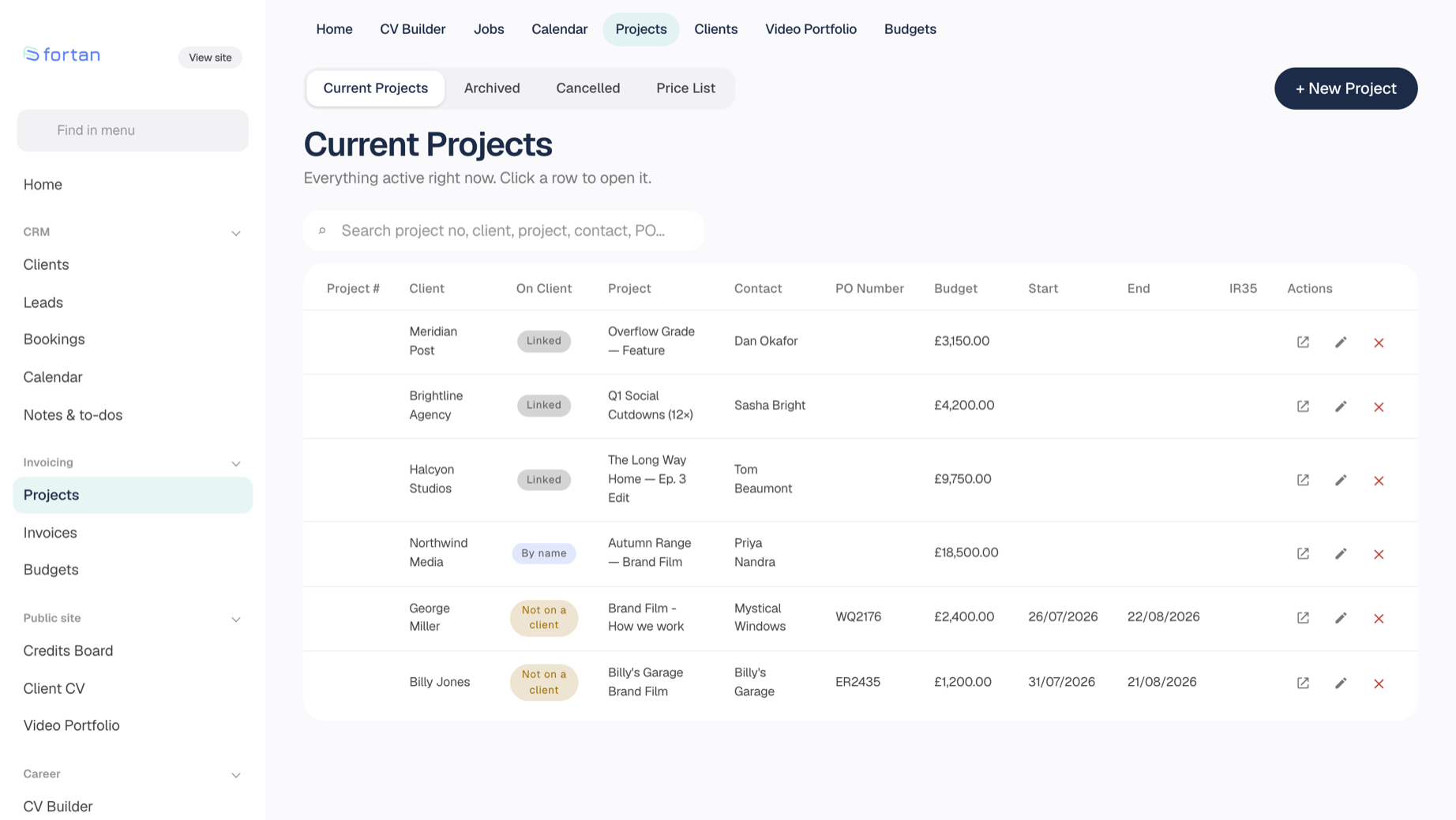
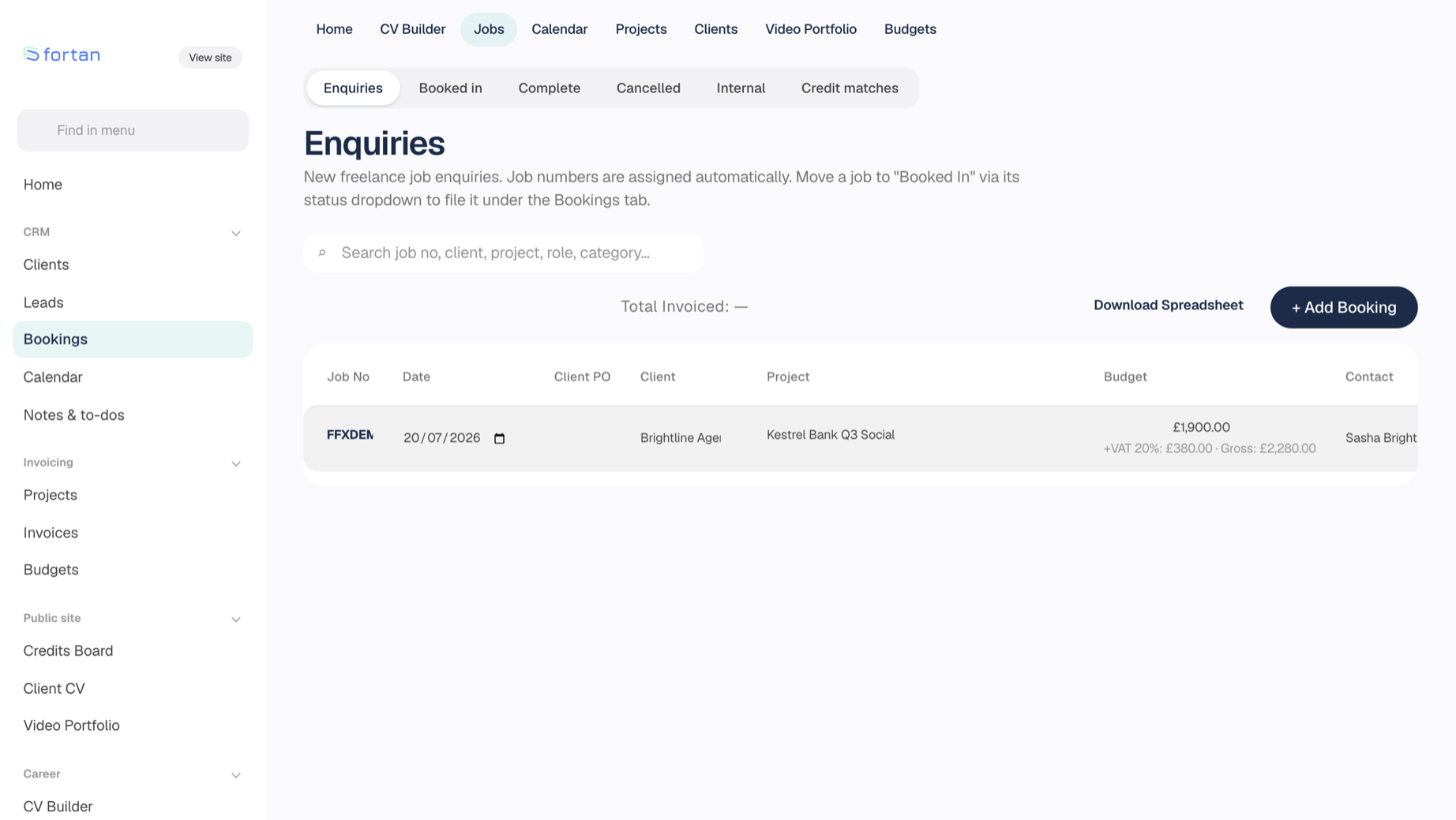
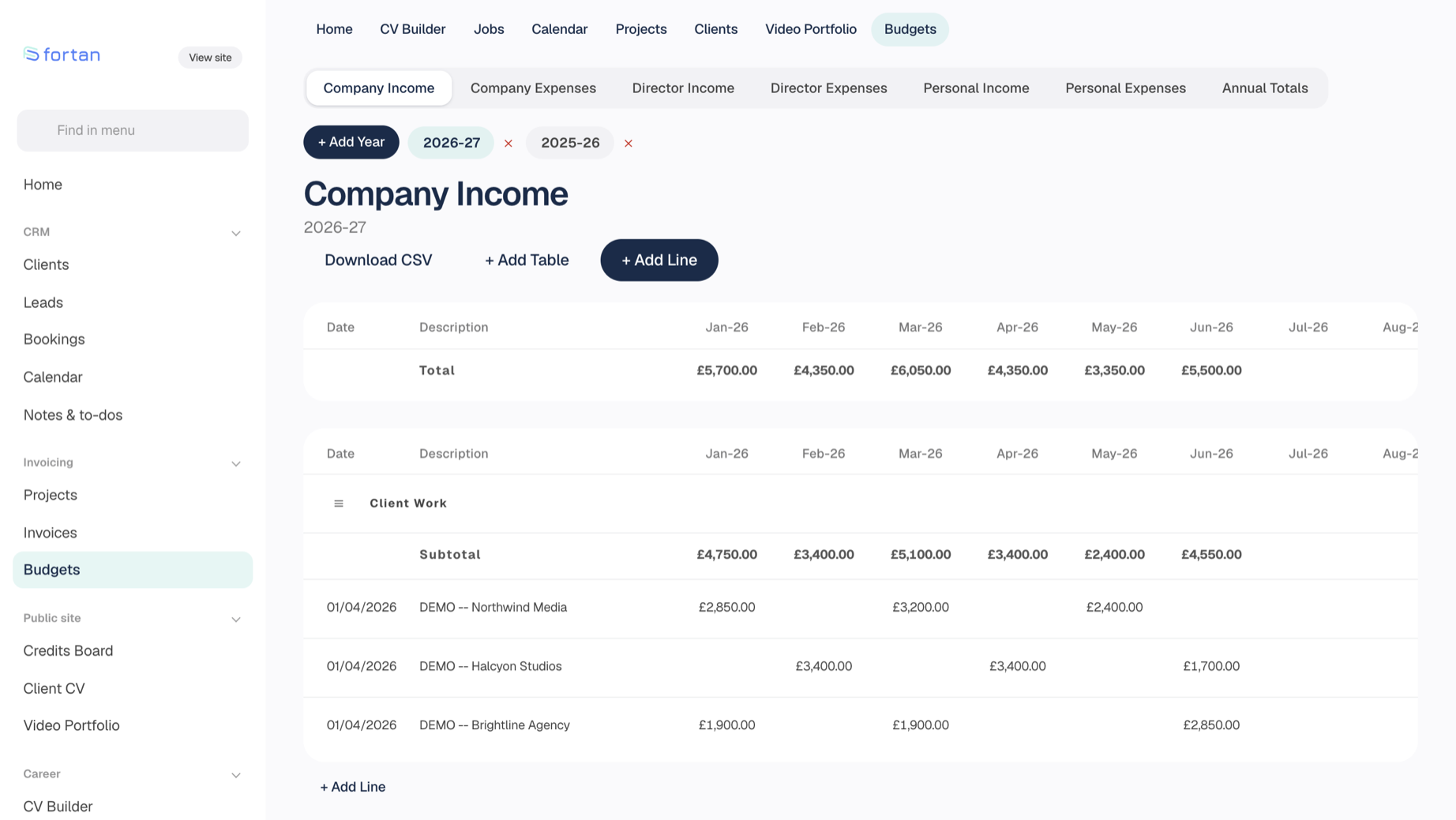
The comparison that matters is not feature lists, it is what you have spent by year three.
| Total paid by | Fortan Software | A £25/month tool |
|---|---|---|
| Year one | £149 | £300 |
| Year two | Nothing further to pay | £600 |
| Year three | £900 | |
| Year five | £1,500 |
You still pay for hosting either way — and if you have a website, you are paying for it already.
In cPanel, make an empty MySQL database and a user, and give that user All Privileges on it. Two minutes, and the only part that touches your hosting control panel.
Unzip and upload to your web root. Turn on hidden files in your FTP client first — the .htaccess files are dotfiles, and they are what keep the private folders private.
Visit install.php and follow four screens. It checks your PHP version and extensions before it commits to anything, writes the config, creates the tables, and offers to load demo data so nothing is empty while you look around.
It offers to delete itself when it has finished. Then set your branding, add your details, and start entering work.
The demo is the real application with demo data in it. Every button works, and it resets itself every night — so change whatever you like.