Features

Ten modules,
one download

There is no starter tier and no add-on pricing. Everything described on this page is in the zip you get when you buy, and it all shares one database — so a booking you enter becomes a job, a project, an invoice line and a public credit without being typed twice.

Jobs

Every enquiry, from first email to paid invoice.

A job starts life as an enquiry and moves through to a confirmed booking, a completed shoot and a settled invoice — without being retyped at any point. Leads that never convert stay on file rather than disappearing, so you can see what you quoted for and lost, not just what you won.

  • Enquiry, provisional, confirmed and completed states
  • Invoices raised straight from the booking
  • A leads list and a to-do list that sit alongside the work
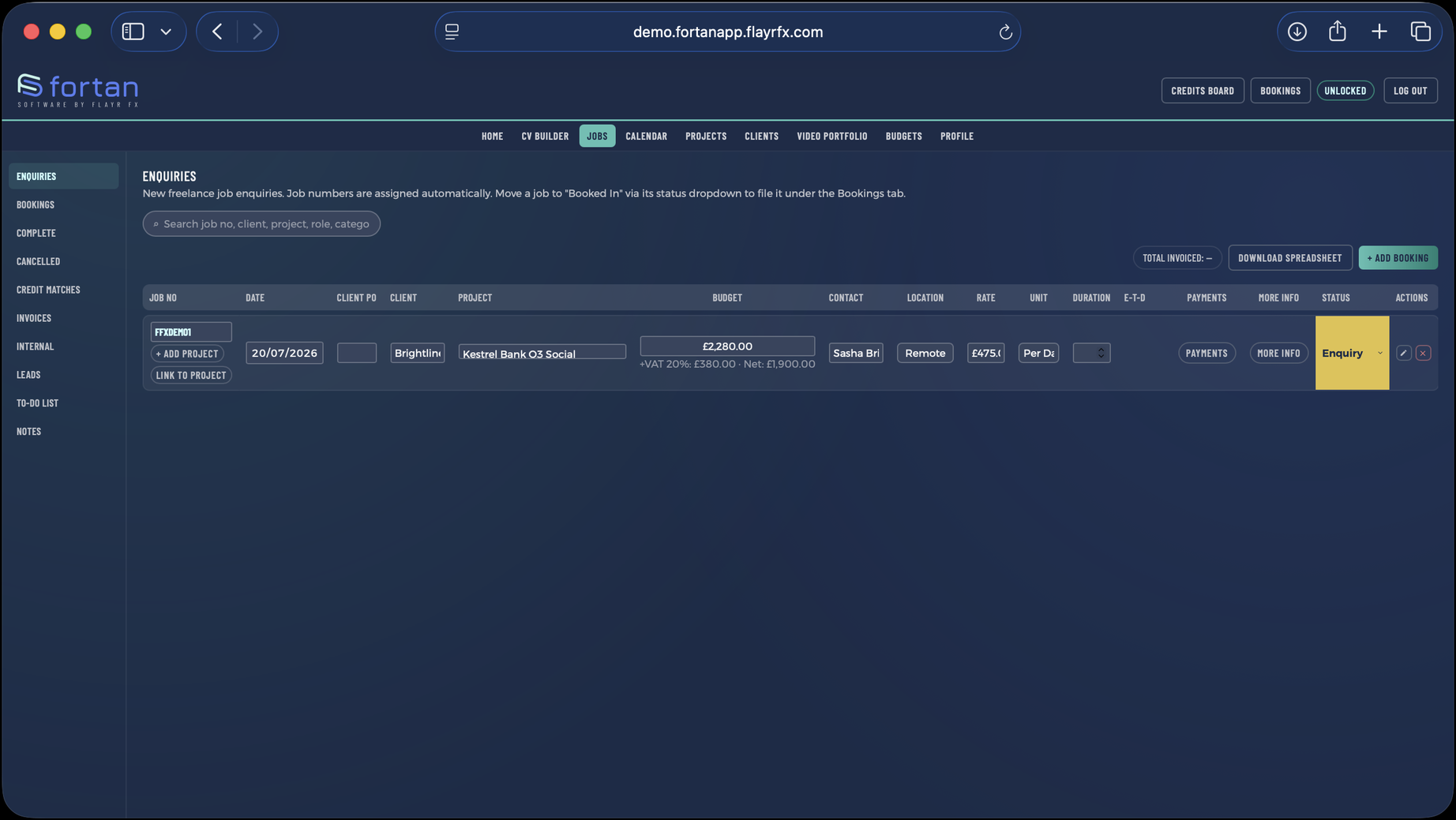
The Jobs screen in Fortan Software. Every enquiry, from first email to paid invoice.

Projects

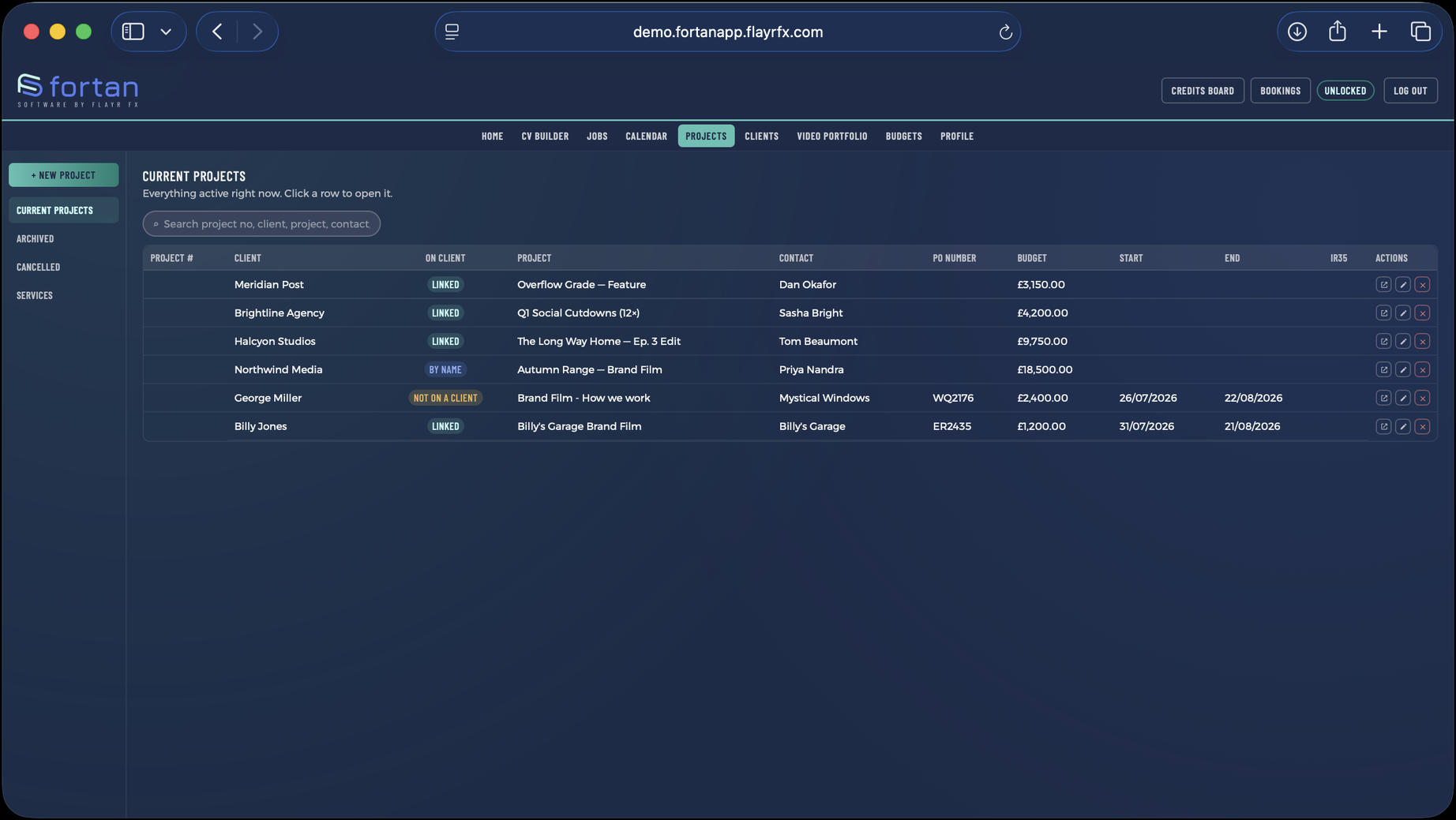
Timeslips, expenses, estimates and invoices on one record.

Run a timer while you work or enter time afterwards; either way it lands on the project and totals itself. Expenses attach to the same record, estimates come out as PDFs a client can sign off, and the invoice is built from what actually happened rather than from memory.

  • A running timer, or manual timeslips after the fact
  • Estimates exported as PDF
  • Expenses and time roll straight into the invoice
The Projects screen in Fortan Software. Timeslips, expenses, estimates and invoices on one record.

Clients

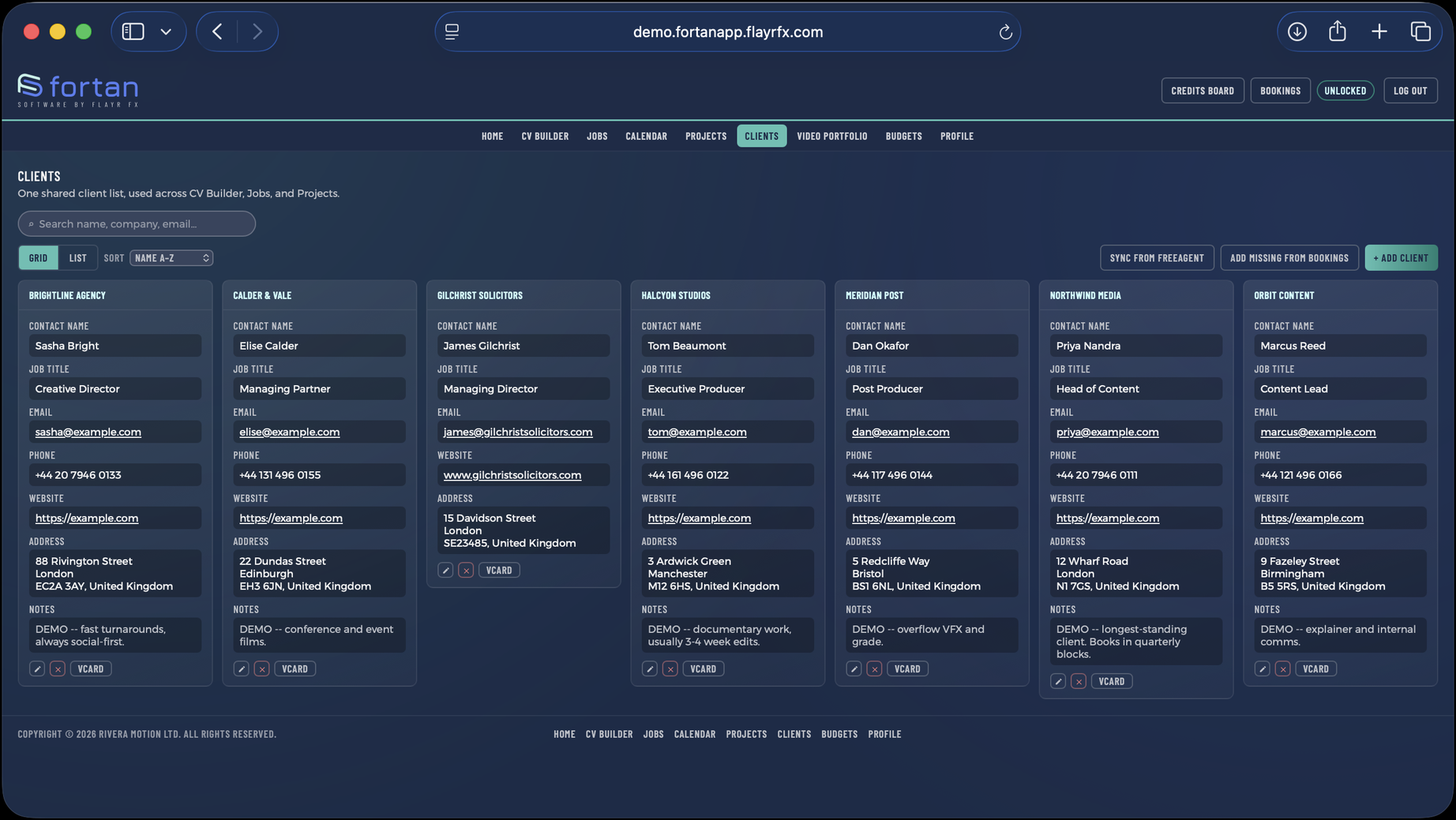
One record per client, and a dashboard for each.

Contact details, the jobs you have done for them, the projects still open and everything you have invoiced — on a single page per client. Useful about ten minutes before a call, when you want to know where you stand.

  • Contacts, addresses and notes
  • A per-client dashboard of jobs, projects and invoices
  • Feeds the client portal and the credits board
The Clients screen in Fortan Software. One record per client, and a dashboard for each.

Annual Budgets

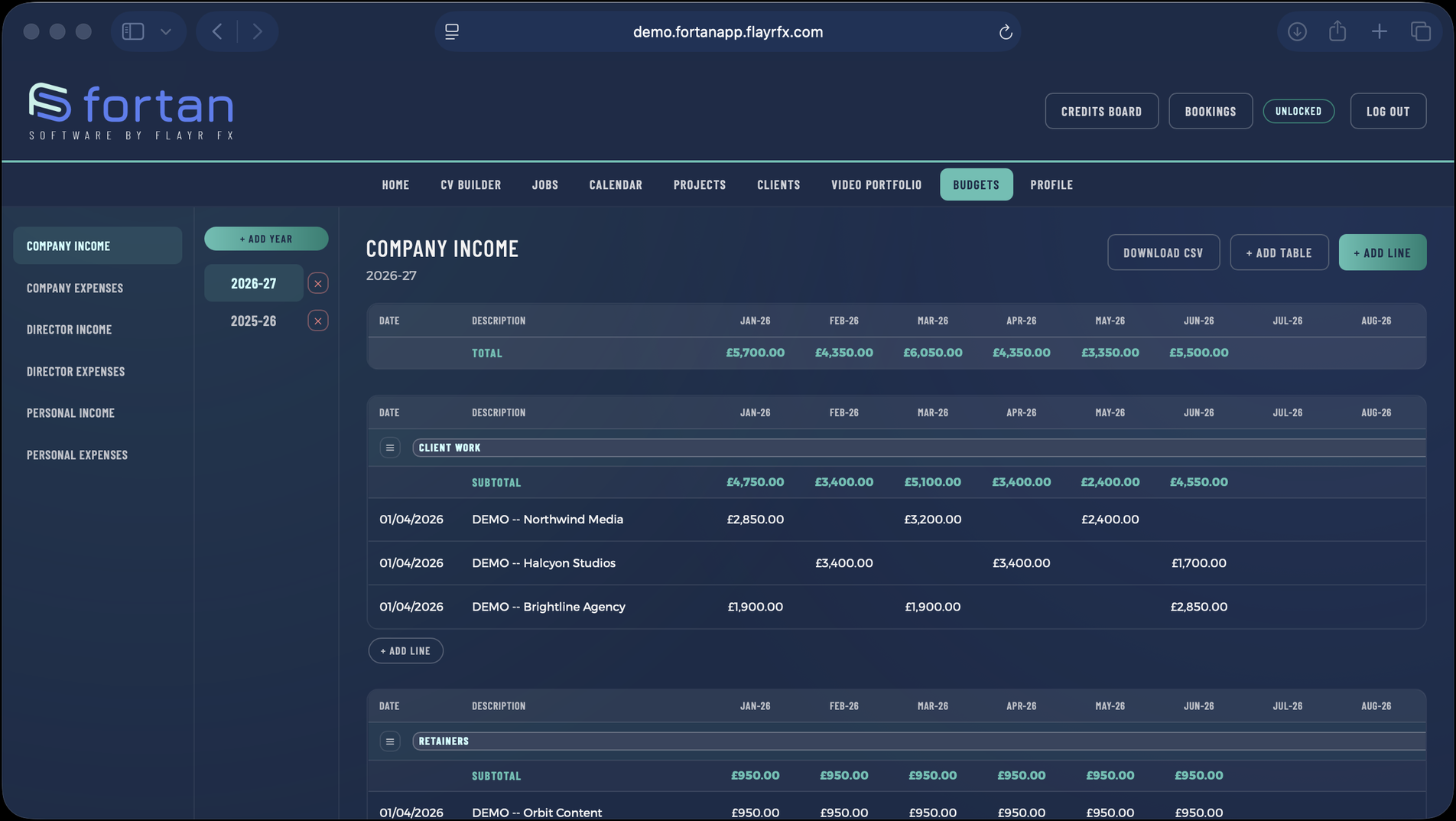
Six income and expense sheets a year, adding themselves up.

Plan and track a year across six sheets, with VAT worked out automatically and totals rolling up as you go. It is the part of the job most freelancers do in a spreadsheet that breaks every January.

  • Automatic VAT calculation
  • Rollups across the whole year
  • Spreadsheet export
The Annual Budgets screen in Fortan Software. Six income and expense sheets a year, adding themselves up.

Calendar

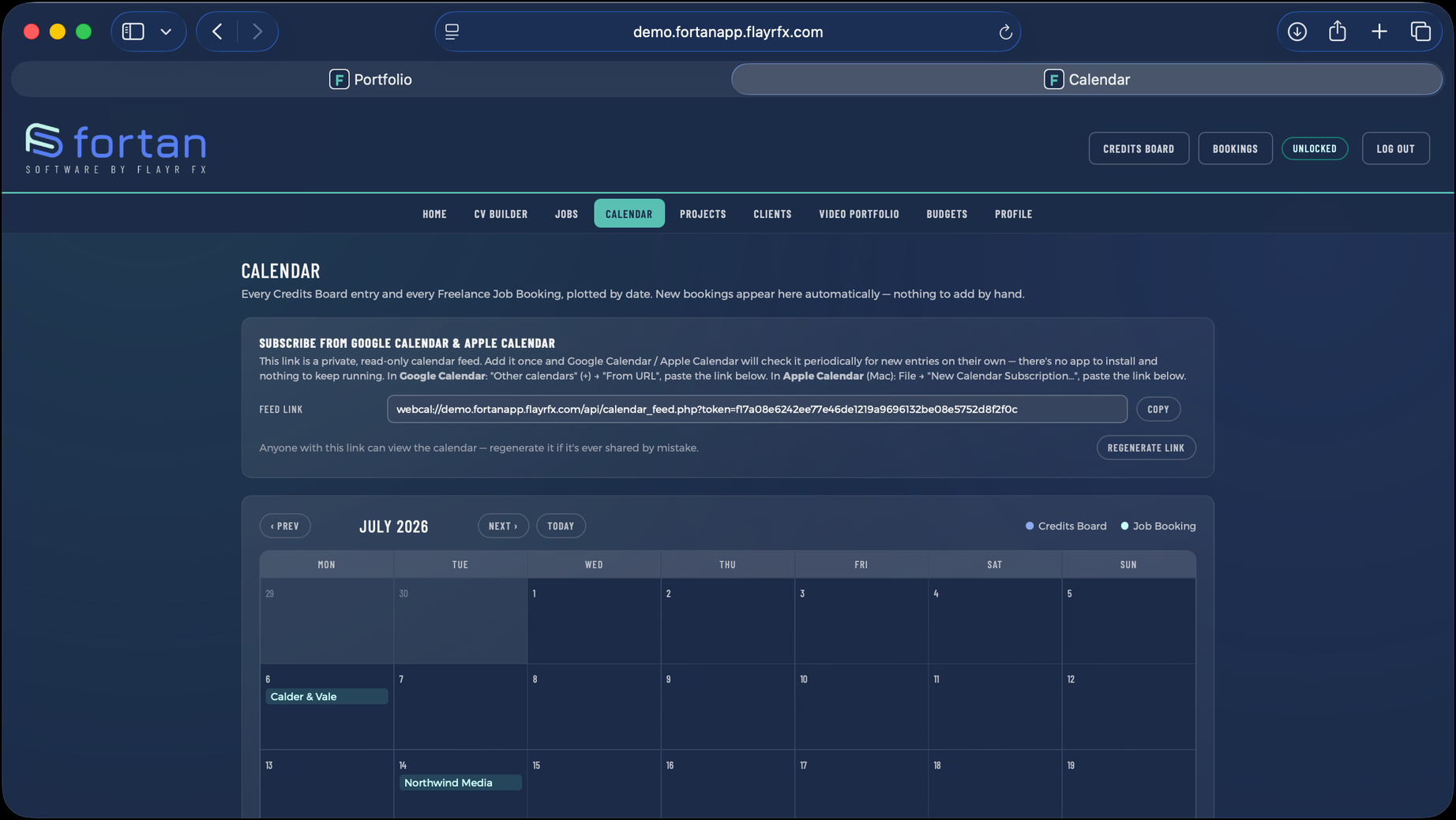
Everything on one month grid, and in the calendar you already use.

Bookings, project deadlines and invoice due dates on a single month view, plus a subscribable feed so the same dates appear in Apple Calendar, Google Calendar or Outlook without you copying anything across.

  • One month grid for jobs, projects and invoices
  • Subscribable feed (ICS) for any calendar app
The Calendar screen in Fortan Software. Everything on one month grid, and in the calendar you already use.

Credits Board

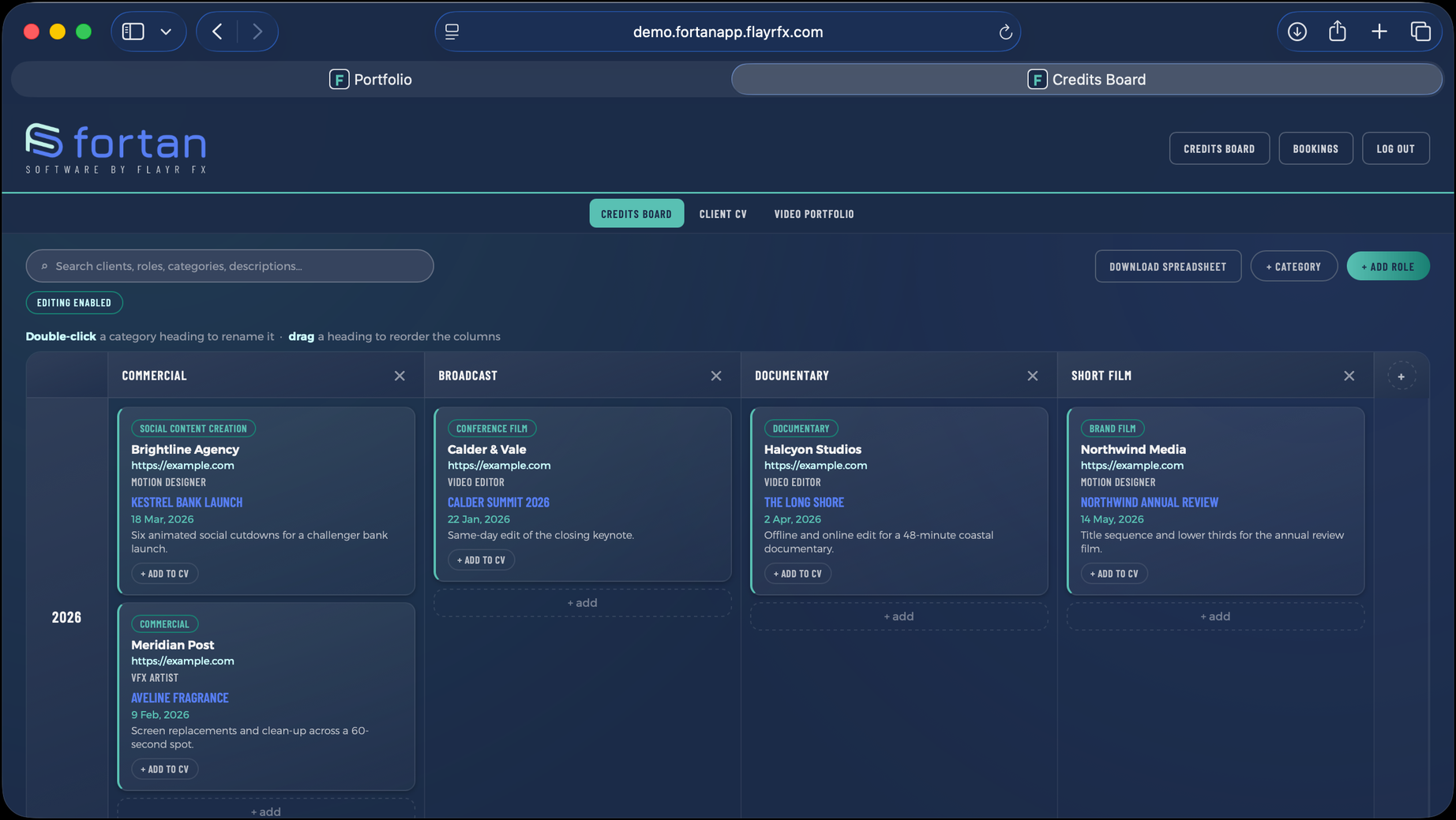
Your work history as a public, filterable grid.

A public page built from the jobs you have already recorded, filterable by year and category. It is the thing you send someone instead of a PDF, and it stays current because it is drawn from your actual records rather than maintained separately.

  • Filter by year and by category
  • Built from your job records — no second copy to update
  • Can be switched off site-wide if you would rather it were private
The Credits Board screen in Fortan Software. Your work history as a public, filterable grid.

Video Portfolio

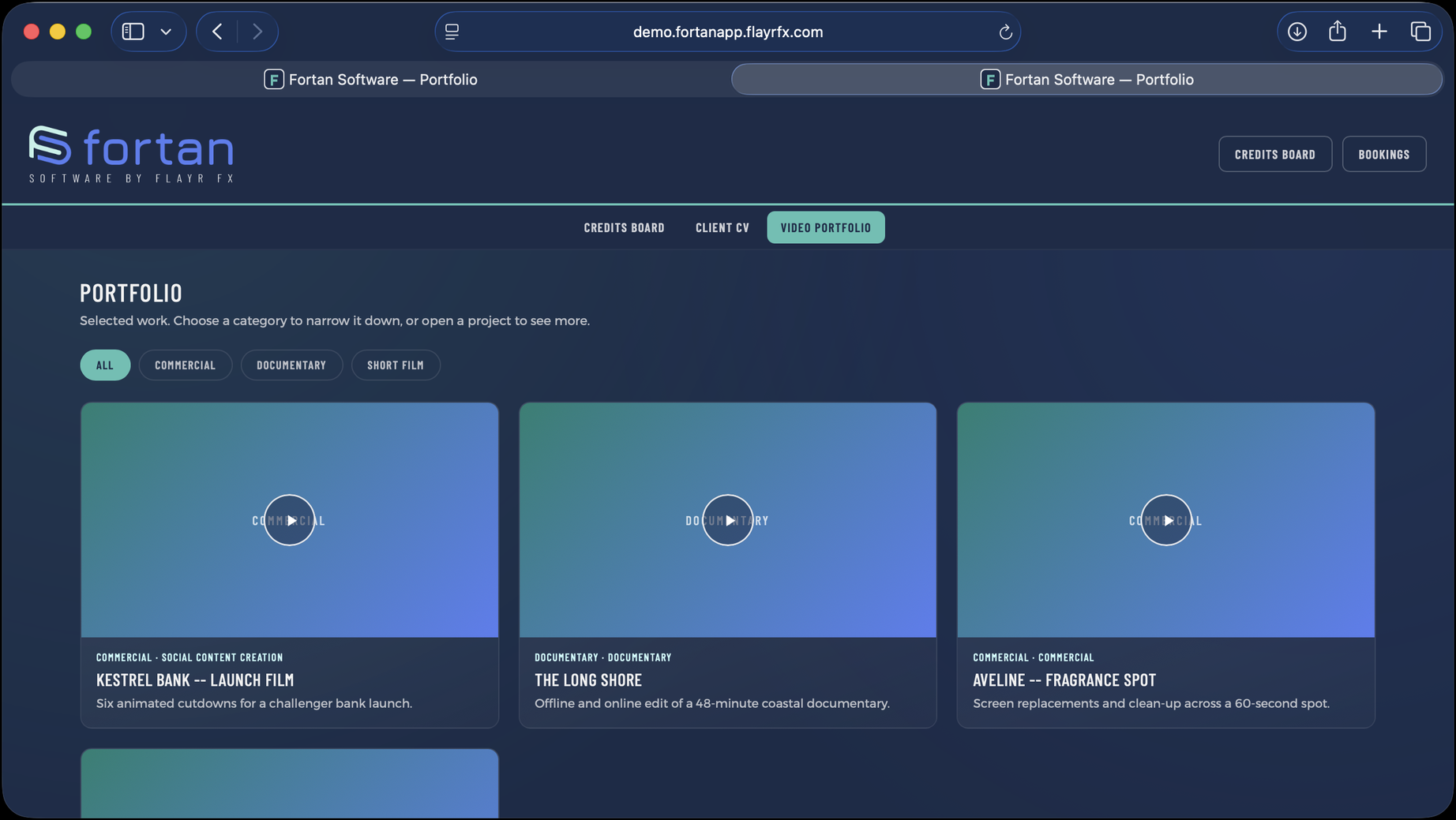
Showreel pages with hover-to-play video.

Public showcase pages for finished work, with video that plays on hover and individual pages per piece. Each item links back to the project it came from, so the public face and the working record stay connected.

  • Hover-to-play grid and a page per piece
  • Linked to the underlying project
  • Managed from an admin screen inside the app
The Video Portfolio screen in Fortan Software. Showreel pages with hover-to-play video.

CV & CV Builder

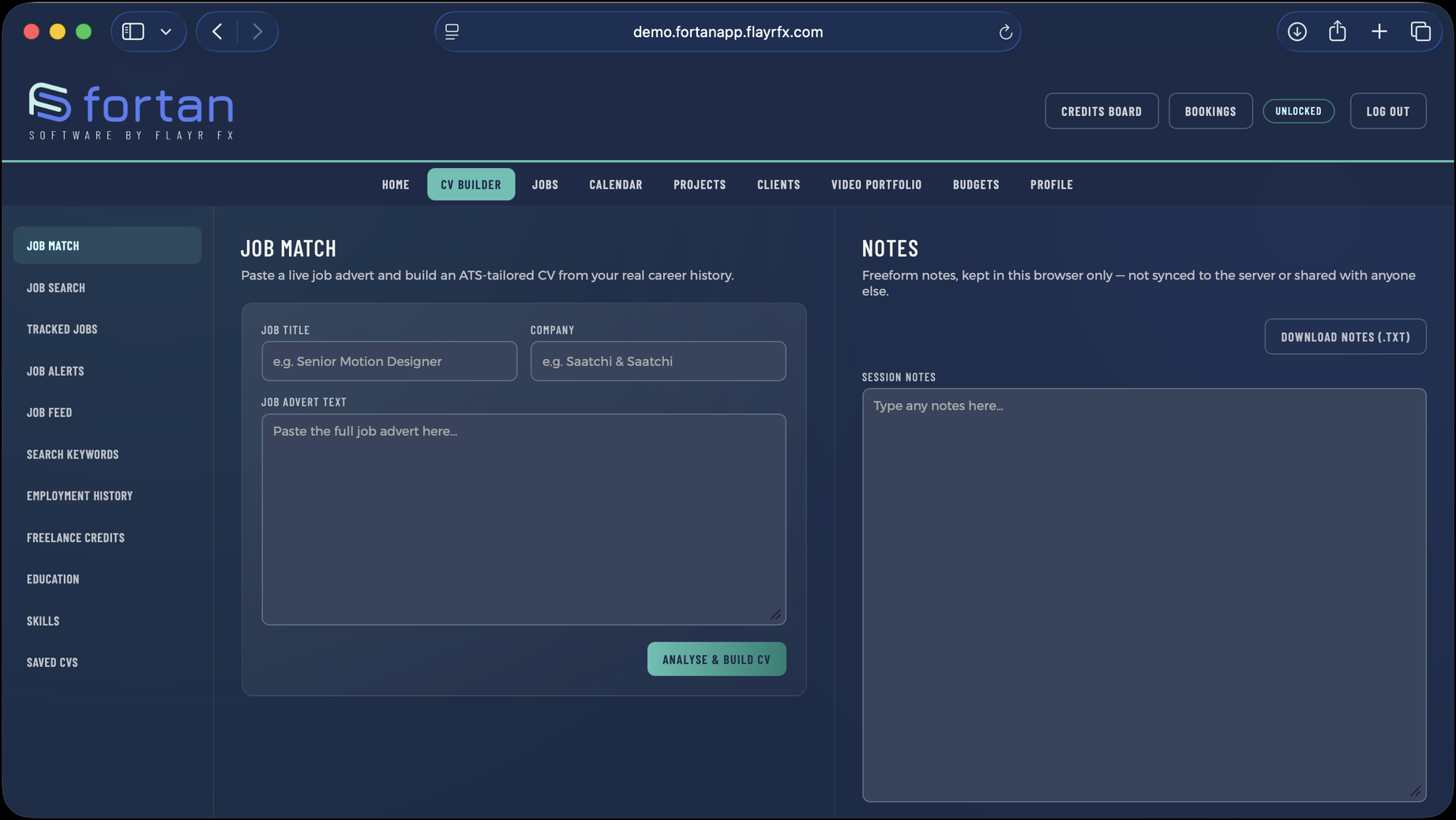
A public CV page, and AI matching against a job advert.

Employment, education and skills in one place, published as a client-facing CV page. Paste in a job advert and it will tailor the CV against it; connect a job board key and it will search openings for you as well.

  • Public CV page built from the same records
  • AI tailoring from a pasted job advert (needs an Anthropic key)
  • Job board search across Reed, Adzuna, Jooble and Careerjet
The CV & CV Builder screen in Fortan Software. A public CV page, and AI matching against a job advert.

Client Portal

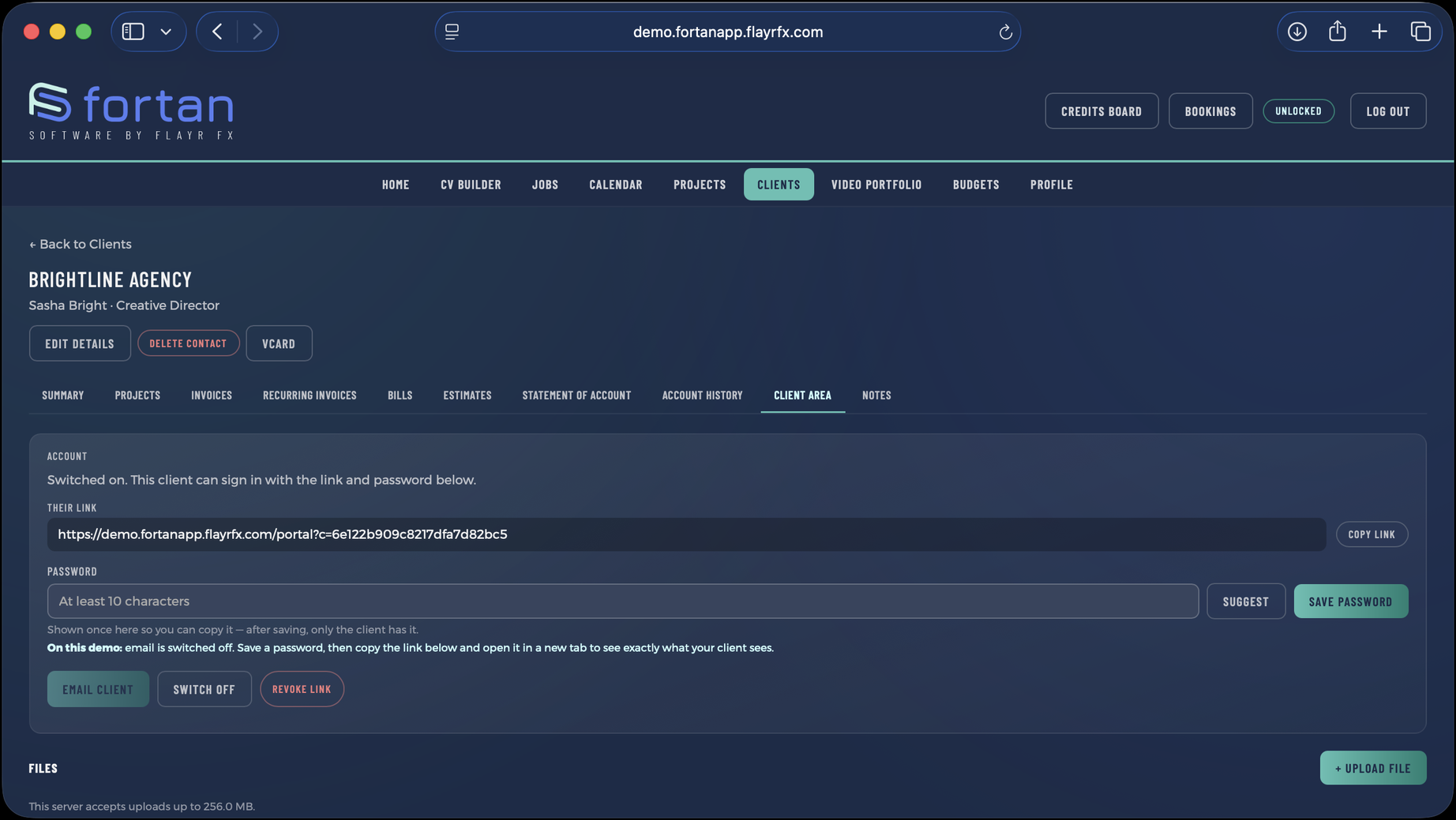
Deliverables behind the client's own login.

Share cuts, stills and documents with a client through a login of their own, rather than a link anyone forwarded can open. Files expire on a schedule and are only ever served through PHP that checks the session — never by direct URL.

  • A login per client
  • Files served through an authenticated endpoint, not a public folder
  • Expiring links, cleared down by a scheduled task
The Client Portal screen in Fortan Software. Deliverables behind the client's own login.

Branding & Settings

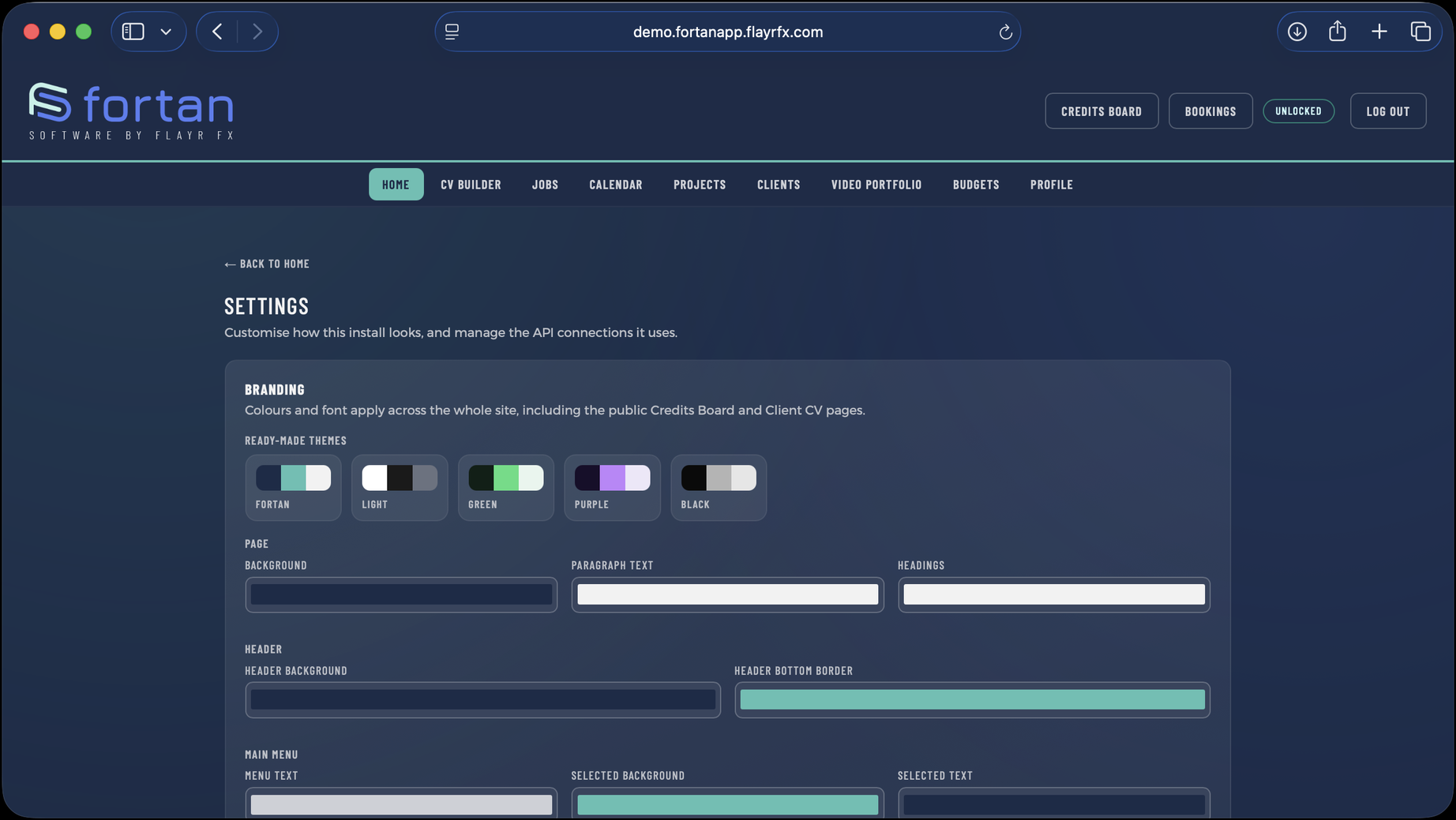
Your colours, your fonts, your logo — including on the public pages.

Change the palette, the typefaces and the logo and watch it apply live across every screen, public pages included. Five presets to start from if you would rather not choose from scratch.

  • Live preview as you change it
  • Five theme presets
  • Applies to the public credits, CV and portfolio pages too
The Branding & Settings screen in Fortan Software. Your colours, your fonts, your logo — including on the public pages.
Being straight with you

What it doesn't do

Better you find this out here than after buying. None of the following is on the roadmap as a promise.

  • It is not multi-user. One login runs the business. There are no team seats, no roles and no permissions — clients get their own portal logins, but staff do not.
  • It does not connect to your bank. Invoices and budgets are entered and reconciled by you; there is no open-banking feed.
  • It does not file your tax return. It will give you the figures and export them; it is not MTD-compliant accounting software.
  • It does not take payments. Invoices go out as PDFs with your bank details on them. There is no card checkout for your clients.
  • There is no mobile app. The pages are responsive and work on a phone, but there is nothing in the App Store.
  • We do not host it for you. That is the whole idea, but it does mean the hosting, the backups and the SSL certificate are yours to arrange.

If any of those is a dealbreaker, say so at support@flayrfx.com before you buy rather than after. We would far rather answer a question than process a refund.

See it running with real data in it

The demo is the real application with demo data in it. Every button works, and it resets itself every night — so change whatever you like.